Most of SEO happens somewhere you can't fully control: other websites, Google's algorithm, your competitors. On-page SEO is the exception. It's the part you control completely, and you can start improving it today. In our experience, the quickest wins on most business websites come from five or six pages that already rank on page two.
On-page SEO is the work you do on each page of your own website so Google understands what the page is about and people want to click on it. It covers your page titles, meta descriptions, headings, content, internal links, images, and the signals that show your business can be trusted.
This guide explains how on-page SEO works, the eight fixes that matter most, which pages to fix first, and the free tools that check your work.
On-page SEO at a glance
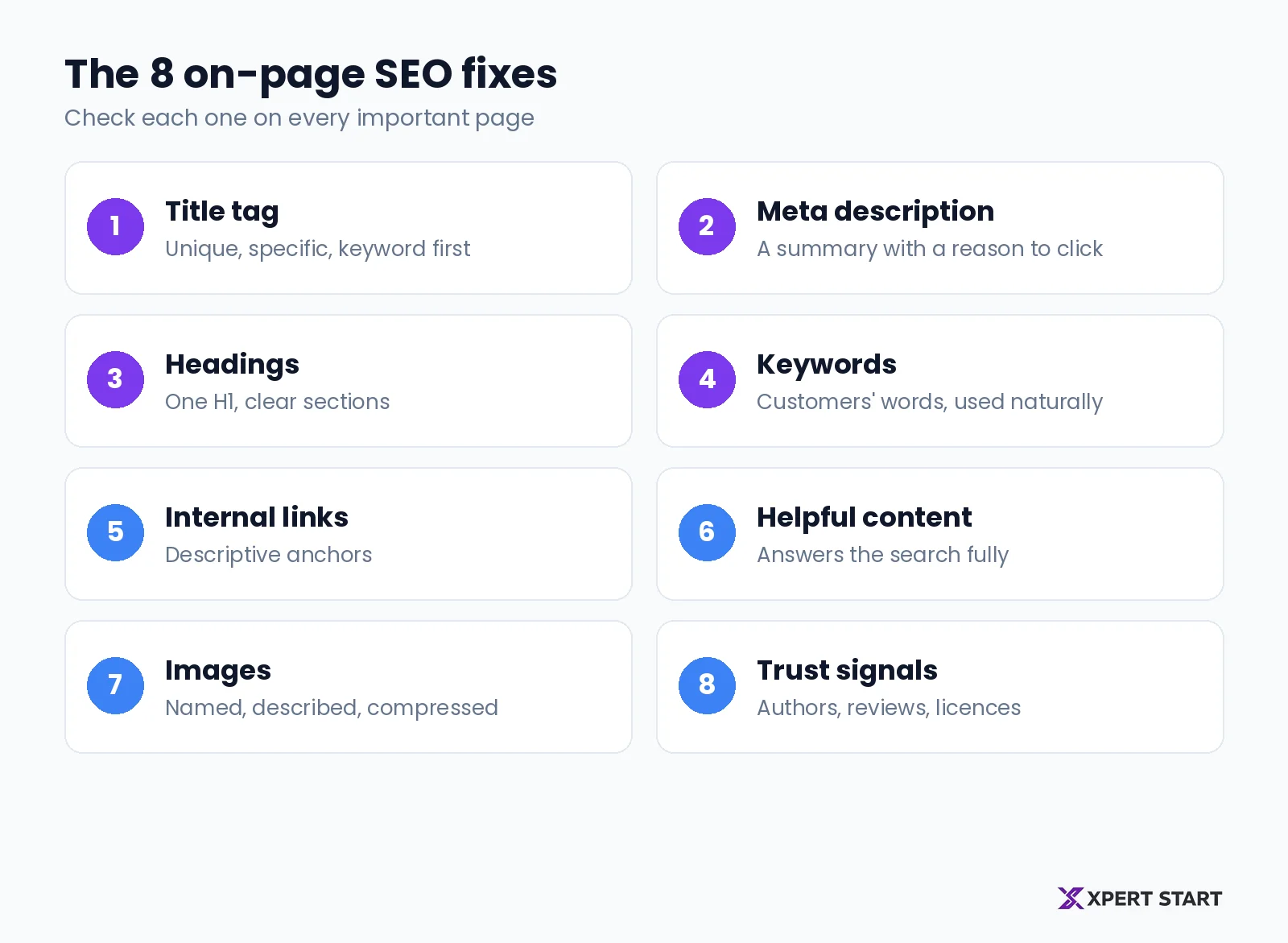
The eight fixes and what to check on each page
| Fix | What to check |
|---|---|
| Title tag | Unique, specific, main keyword first |
| Meta description | A clear summary with a reason to click |
| Headings | One H1, sections that make sense when skimmed |
| Keywords | Customers' words in the title, H1, and first paragraph |
| Internal links | Descriptive anchors to related pages |
| Helpful content | Answers the search fully, with examples |
| Images | Descriptive file names, alt text, small files |
| Trust signals | Authors, reviews, licences, contact details |
Key takeaways
- Start with pages that already rank on page two. Search Console shows you which ones.
- Write titles for people. A clear, specific title gets more clicks than a stuffed one.
- Answer the search fully. Google rewards helpful pages, not a set word count.
- Link your pages together with descriptive anchor text, so Google and visitors find what matters.
How on-page SEO works
Google reads each page to work out what it's about and which searches it answers. Then it decides how useful the page is compared with every other page that answers the same search.
The Australian Government's guide to improving your search engine rankings makes the same point: matching the words on your website to the words customers search with is an important part of SEO.
On-page SEO helps at both stages. Clear titles, headings, and content tell Google what the page covers. Useful content, fast pages, and trust signals help it rank above the alternatives. Off-page SEO, like links from other websites, adds authority on top, but it can't fix a page that doesn't clearly answer the search.
The 8 on-page SEO fixes that matter most
1. Write a clear title tag
The title tag is the clickable headline Google shows in search results. It's often the first thing a searcher reads about your business.
Google's guidance on title links is straightforward: write descriptive and concise titles, avoid vague ones like "Home", avoid keyword stuffing, and give every page its own title. Google doesn't set a character limit, but long titles get cut off to fit the screen, so put the important words first.
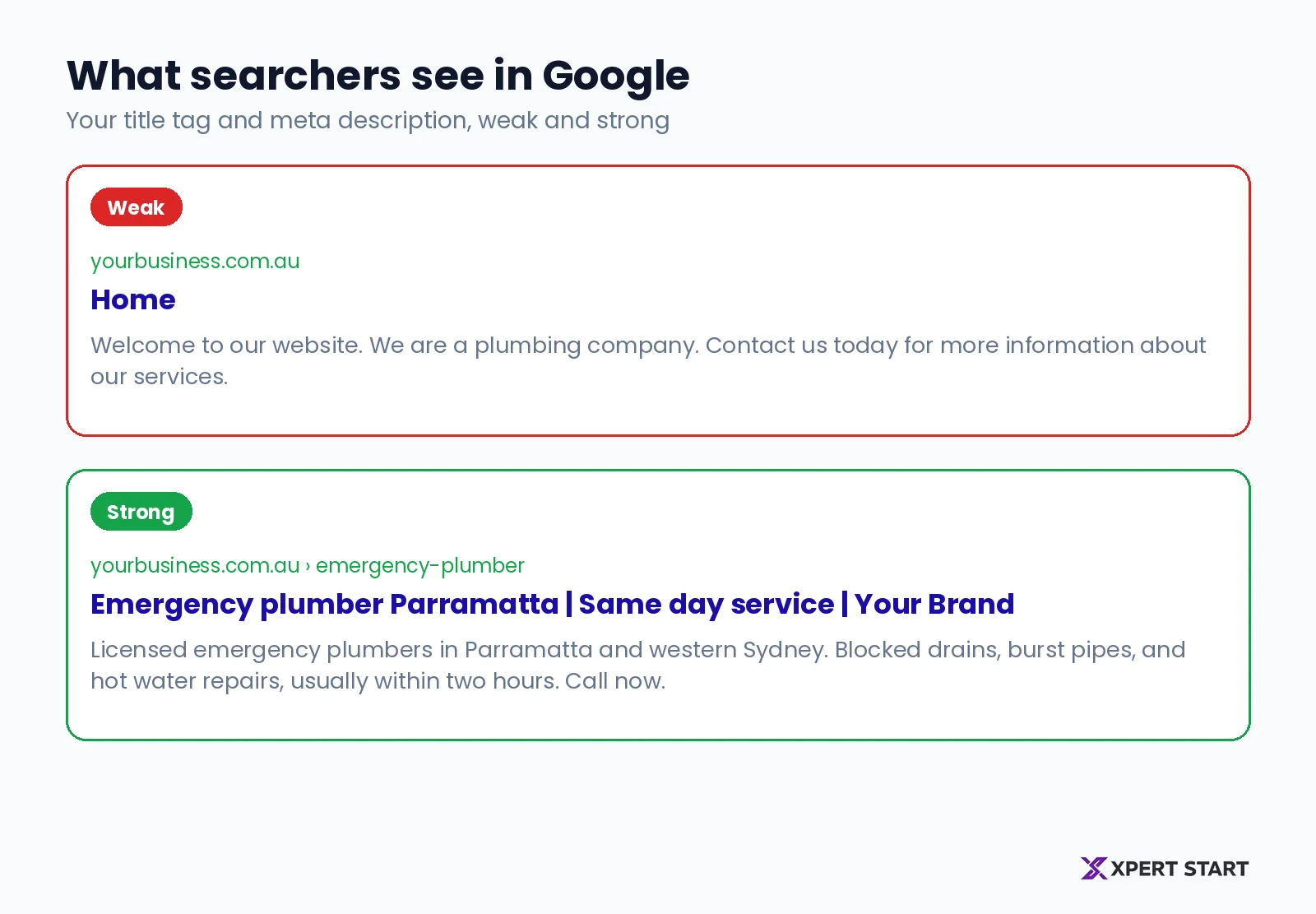
A simple formula: main keyword, then what makes you different, then your brand.
- Weak: "Home"
- Better: "Emergency plumber Parramatta | Same day service | Your Brand"
Checklist:
- One unique title per page.
- Main keyword near the start.
- Your suburb or city, if you serve a local area.
- Your brand name at the end.
2. Write a meta description that earns the click
The meta description is the short summary under your title in search results. It doesn't change your ranking, but a clear one can earn the click over the result above you.
According to Google's guidance on snippets, Google creates most snippets from the page content itself, and uses your meta description when it gives a more accurate summary. It also says identical descriptions on every page aren't helpful. Write a unique one for each important page.
Checklist:
- A one or two sentence summary of what the page offers.
- The main keyword, used naturally.
- A specific benefit, like a price range, a service area, or a turnaround time.
3. Use headings that make the page easy to scan
Headings break a page into sections, so readers can jump to what they need and Google can see how the content is organised.
- One H1 per page, usually the page title, with the main keyword.
- H2s for the main sections.
- H3s for steps or sub-points inside a section.
Google's SEO starter guide says heading order doesn't matter for Search, so don't panic about a skipped level. Headings still matter for readers and for screen readers, so use them to make the page easy to scan.
4. Use keywords the way customers search
Use the words your customers type, in the places that matter: the title, the H1, the first paragraph, and at least one heading. Then write naturally. Google's starter guide is clear that keyword stuffing is against its spam policies, and it doesn't use the old keywords meta tag at all.
If you're not sure which words customers use, our keyword research guide shows how to find them with free tools.
5. Link your pages together
Internal links connect your pages, so visitors find related information and Google finds and understands your most important pages. Google's starter guide says link text tells users and Google something about the page you're linking to, so describe the destination.
- Weak anchor: "click here"
- Better anchor: "emergency plumbing services"
For example, a post about hot water system lifespan should link to your hot water repair page. Link blog posts to the service pages they relate to, and link related posts to each other. Two to five relevant links per page is plenty.
6. Make the content genuinely helpful
Google rewards pages that answer the search better than the alternatives. There's no magic word count: Google's starter guide says there's no minimum or maximum. Length should follow the question.
For example, a page about bathroom renovation costs should give real price ranges, explain what changes the price, and show finished jobs. Helpful content usually:
- Answers the main question in the first few paragraphs.
- Includes real examples, prices, or steps from your own work.
- Covers the follow-up questions people ask, often in an FAQ.
- Stays up to date, with old facts and prices replaced.
7. Optimise your images
Images help people understand a page, but large files slow it down. For each image:
- Name the file descriptively, like
blocked-drain-before-after.webp, notIMG_1234.jpg. - Write alt text that describes what the image shows. Google's starter guide calls alt text a short, descriptive piece of text that explains how the image relates to your content.
- Compress it. Use WebP where you can and keep most images under 200 KB.
8. Show why your business can be trusted
Google wants to send people to businesses they can trust, and so do your customers. Make trust easy to see:
- Author names on blog posts, and who's behind the business on your about page.
- Reviews and testimonials on your service pages.
- Licences, accreditations, and years in business.
- Clear contact details and a physical address if you have one.
- Links to credible sources when you quote facts.
How to fix on-page SEO: which pages to start with
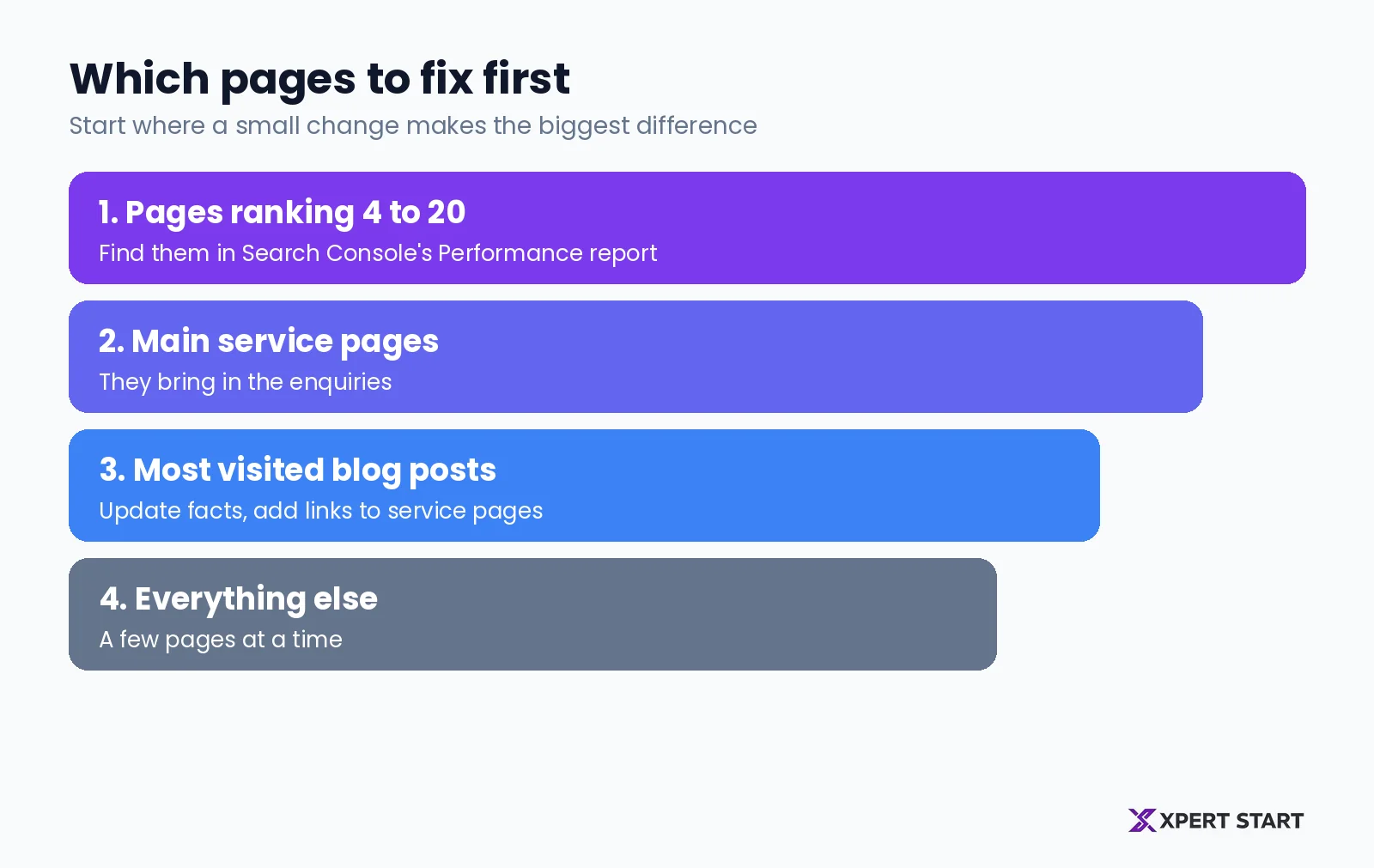
Don't try to fix every page at once. Start where a small change makes the biggest difference.
- Pages already ranking on page two. In Google Search Console, open the Performance report and look for searches where your average position is between about 4 and 20. Google already sees those pages as relevant, so a better title, heading, or section can move them up.
- Your main service pages. These bring the enquiries, so they deserve the clearest titles and content.
- Your most visited blog posts. Update the facts, add internal links to your service pages, and check the images.
- Everything else, a few pages at a time.
Free tools to check your on-page SEO
You don't need expensive software to start.
- Google Search Console shows the searches each page appears for, its average position, and its clicks.
- Google PageSpeed Insights tests how fast a page loads on mobile and desktop.
- Your browser. Search your own business and services, and read your titles and descriptions the way a customer would.
If you want a deeper check across the whole site, a technical SEO audit covers crawling, indexing, and speed issues that on-page fixes can't solve.
Common on-page SEO mistakes
- The same title on every page, or titles like "Home" and "Services".
- Keyword stuffing titles and text until they read badly.
- One page trying to rank for everything. Give each service its own page.
- Huge images that slow the page down on phones.
- No internal links from blog posts to service pages.
- Old content with outdated prices, years, or broken links.
Frequently asked questions
What is on-page SEO?
On-page SEO is the work you do on each page of your website, like titles, headings, content, links, and images, so Google understands the page and people want to click on it. It's the part of SEO you control directly.
How does on-page SEO work?
Google reads each page to understand what it covers, then compares it with other pages answering the same search. Clear titles, headings, and helpful content make your page easier to understand and more useful than the alternatives.
What's the difference between on-page and off-page SEO?
On-page SEO happens on your own website. Off-page SEO happens elsewhere, mostly links and mentions from other websites and your Google Business Profile reviews. You need both, but on-page is where to start.
Is there an on-page SEO checker?
Google Search Console and PageSpeed Insights are free and show how your pages perform. Paid tools can scan every page for missing titles, duplicate descriptions, and broken links. A checklist like the one in this guide covers the basics.
How long does on-page SEO take to work?
Small changes to pages that already rank on page two can show results within weeks, once Google recrawls the page. Bigger improvements across the site usually take a few months to show in rankings.
The bottom line
On-page SEO is the part of SEO you control. Write clear titles and descriptions, structure each page with helpful headings, answer the search fully, link your pages together, and show why customers can trust you. Start with the pages already close to page one, and work outward from there.
Our SEO checklist for established businesses puts on-page fixes alongside the rest of your SEO, and our guide to SEO cost in Australia explains what professional help costs.
Want to know which of your pages are closest to page one? Our free digital audit shows the searches your site already appears for and the on-page fixes that would move them up. Book your free digital audit, see how our SEO services work, or read about us.